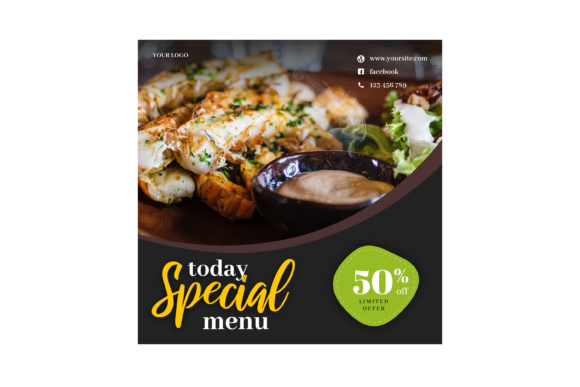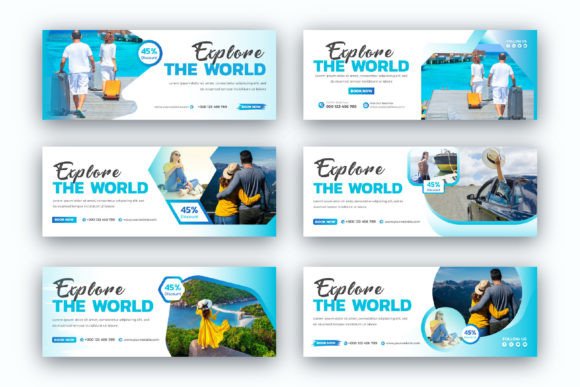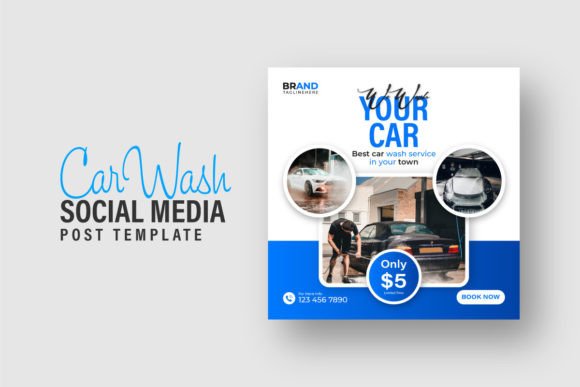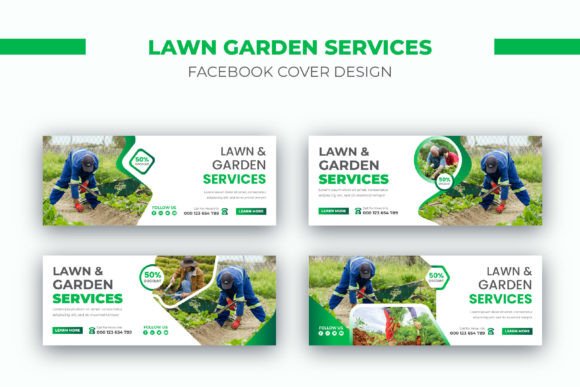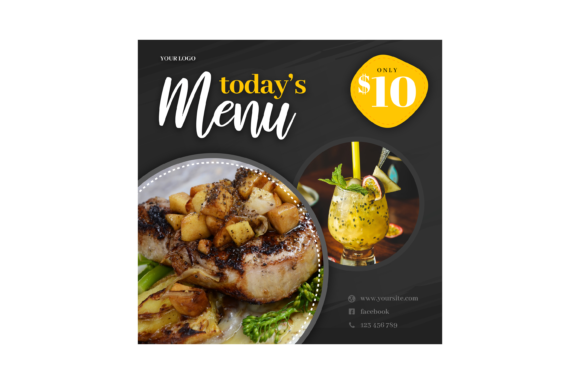
Today’s Menu Instagram Post: A Versatile Template for Effortless Social Media Content
If you’ve ever tried to promote a daily special, a limited-time dish, or a weekly meal plan on Instagram, you know the pressure of creating fresh, on-brand graphics every single day. That’s where a resource like Today’s Menu Instagram Post comes in. It’s a ready-to-use Photoshop template built specifically for sharing menu information on social media. But it’s more than just a pretty design — it’s a tool that can save you hours of repetitive work while keeping your feed looking professional and consistent.
Whether you run a small café, publish a food blog, manage a meal prep service, or just love sharing what’s cooking at home, this template gives you a head start. Instead of starting from scratch each time, you drop in your text and images, make a few tweaks, and you’re ready to post. The result? More time for what actually matters — preparing great food and connecting with your audience.
What Exactly Is This Template?
At its core, Today’s Menu Instagram Post is a layered PSD file designed in 3000×3000 pixels — a perfect square for Instagram feeds and stories. It works with Photoshop CS4 or higher, meaning you don’t need the latest version to edit it. The template includes smart object layers for easy image replacement, organised folders so you can find what you need, and placeholder text that you can change in seconds by selecting the text tool.
When you download it, you get three things: the PSD file, a preview JPG so you know what the final look should be, and a Read Me.txt file that contains a link to the font used. That font link is crucial — if you don’t install the font, your text might not display as intended. Once you open the file in Photoshop, you simply click on the placeholder text with the text tool and type in your dish names, prices, or descriptions. Changing images is just as straightforward: double-click the smart object layer, paste your photo, save, and it updates automatically.
Who Actually Uses This Kind of Template?
The short answer is: anyone who posts menus regularly. But let’s look at some specific scenarios where Today’s Menu Instagram Post really shines.
Local Restaurants and Cafés
Imagine you run a neighbourhood bistro that changes its specials every weekday. You want to let your regulars know about the fresh catch of the day or the new vegan bowl before they walk in. Using this template, you can create a post in under five minutes. The smart object replacement lets you swap out the photo of Monday’s grilled salmon for Tuesday’s mushroom risotto without messing up any text or branding. The organised layers mean your logo stays in the same spot, your colour palette remains consistent, and you don’t accidentally delete something important. Over a month, that’s dozens of posts made with the same high-quality look — no design experience required.
And because it’s 3000×3000 pixels, the image looks crisp on both mobile screens and desktop feeds. You can even reuse the same template for Instagram Stories by resizing, but the square format already works perfectly for the main feed.
Meal Prep Services and Home-Based Food Businesses
If you sell meal prep boxes or baked goods from home, your Instagram presence is often your storefront. You need to show what’s available this week, and you need to do it fast. With Today’s Menu Instagram Post, you can set up a weekly routine: on Sunday evening, you edit the template with the week’s offerings, schedule the post, and you’re done. The easy-to-edit text fields allow you to list multiple items clearly, and the organised layers mean you can hide or show elements depending on the day. For example, you might have a “Today’s Special” badge that you turn on only when you have a limited batch.
The Read Me.txt file with the font link ensures that even if you switch computers, you can download the exact typeface and keep your branding consistent. That kind of detail matters when customers start recognising your posts just by the typography.
Food Bloggers and Content Creators
Bloggers often share recipes or restaurant reviews, but they also need to promote their own content. A menu-style post can be a great way to tease “what’s coming this week” on the blog. Instead of a generic photo, you can use Today’s Menu Instagram Post to create a visually appealing announcement that includes the recipe name, a mouth-watering image, and the publish date. The smart object layers make it easy to swap out photos from different recipe shoots, and the placeholder text can be adapted to include blog links or calls to action like “Link in bio.”
Because the template is fully editable, you can also customise it beyond the original design. Move a layer around, change the background colour, or add your own graphics. It’s a starting point, not a cage.
Digital Marketers and Social Media Managers
If you manage social media for multiple clients — especially in the food industry — you need efficiency. Having a template like Today’s Menu Instagram Post means you can create a series of posts for a client’s weekly specials in one sitting. The organised layers allow you to quickly duplicate the file, change the text, swap the image, and move on. You can even create a folder structure on your computer where each client has their version of the template with their brand colours pre-loaded. The 3000×3000 resolution gives you flexibility for other platforms too: you can crop it for Facebook or Pinterest without losing quality.
And because the instructions for changing text are so simple — “Select the Text Tool, Click the Placeholder Text, Change the Text” — you can train a junior team member or intern to use it in minutes. That reduces your workload without sacrificing output quality.
Real Benefits You’ll Notice Right Away
Let’s talk about why these features matter in practice, not just as a list of specs.
Smart object replacement means you never have to manually align a photo again. Just paste your image into the smart object, and it fits perfectly within the frame. No more cropping, resizing, or worrying about distortion. That’s especially helpful if you’re not a Photoshop expert — you can focus on choosing the best photo of your dish rather than fighting with software.
Editable text sounds obvious, but many templates lock the text into a single format. Here, you can change the actual characters, adjust the size, colour, or even the font if you prefer. The placeholder text is there as a guide, but you have full freedom to write “Grilled Halloumi Salad” or “$12.50” exactly how you want it.
Organised layers prevent frustration. When you open the PSD, you’ll see folders named things like “Background,” “Text,” “Images,” and “Decorations.” Need to move the price? It’s in the Text folder. Want to change the background pattern? Look in Background. This structure also makes it easy to turn elements on and off — maybe you want a version without the decorative icons for a cleaner look on stories.
The font link might seem like a small detail, but it’s actually a lifesaver. Nothing ruins a design faster than a missing font that forces you to substitute with something that doesn’t match. By providing the font download link in the Read Me.txt, the creator ensures your final post looks exactly like the preview JPG — assuming you install it.
What to Consider Before Using This Template
No resource is perfect for everyone, so here are a few things to think about before you download Today’s Menu Instagram Post.
First, you need Photoshop CS4 or higher. If you use a different image editor like Affinity Photo or GIMP, the PSD file might not open correctly, or the smart object functionality may not work. Always check your software compatibility before purchasing or downloading. If you’re using an older Photoshop version, that’s fine — CS4 is quite old, so most users should be okay.
Second, the template is 3000×3000 pixels. That’s excellent for Instagram, but if you plan to use it for other sizes (like a horizontal Facebook cover or a tall Pinterest pin), you’ll need to resize or crop it. The quality will remain good because the original is large, but it’s not a one-size-fits-all solution.
Third, consider the design style. The template likely has a specific aesthetic — maybe it includes food illustrations, modern typography, or a minimalist layout. Before you buy, look at the preview JPG carefully and ask yourself if it aligns with your brand. You can modify colours and replace images, but major structural changes (like moving the entire layout) might require more advanced Photoshop skills. If you’re a beginner, stick with templates that already match your vision.
Fourth, don’t forget the font. Download it right away from the link in the Read Me.txt and install it. If you skip this step, your text will likely revert to a default font like Arial or Times New Roman, which will make your post look generic and unpolished. A few minutes of setup can save you from hours of troubleshooting later.
Finally, think about your posting frequency. If you only update your menu once a month, a template like this is still useful, but you might not need the “instant edit” speed. If you’re posting daily or weekly, the time savings add up fast. Consider whether the investment (usually just a few dollars for a template) is worth the hours you’ll save over a quarter or a year.
Where to Go from Here
Today’s Menu Instagram Post is a practical tool for turning a good photo and a few lines of text into a polished, professional social media post. Whether you’re promoting a three-course dinner special, announcing a new smoothie flavour, or simply sharing your Sunday brunch with followers, this template can help you do it faster and with less stress.
The key is to use it as a foundation — customise it, make it your own, and let it handle the repetitive parts so you can focus on the creative decisions that actually matter. With smart object replacement, organised layers, and clear editing instructions, it’s built for people who want results, not headaches.
So next time you find yourself dreading the menu post, remember that a good template can turn a chore into a quick, satisfying task. Take five minutes, open Photoshop, change the text, swap the image, and hit export. Your followers will see consistency and quality, and you’ll have more time to enjoy the food — or the business — that made you start posting in the first place.